
- Choose Your Dates
- Choose Your Car Park
-
Extra Services
-
Enter Your Details
-
Confirmation
Your Search Results
- Entry Date
- 19/08/2026 08:00
- Exit Date
- 20/08/2026 17:30
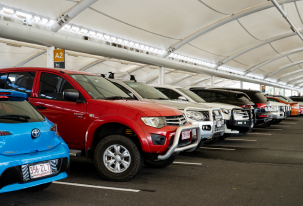
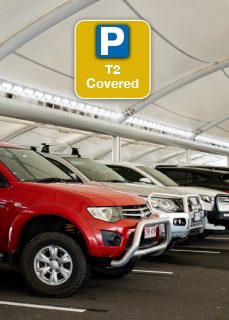
Domestic Covered Car Park
- Covered parking opposite Domestic Terminal
- Cyclone rated shelter
- 20% more space per bay
- Accessible car spaces available
- No amendment fees
- No cancellation fees
 1 min by walk
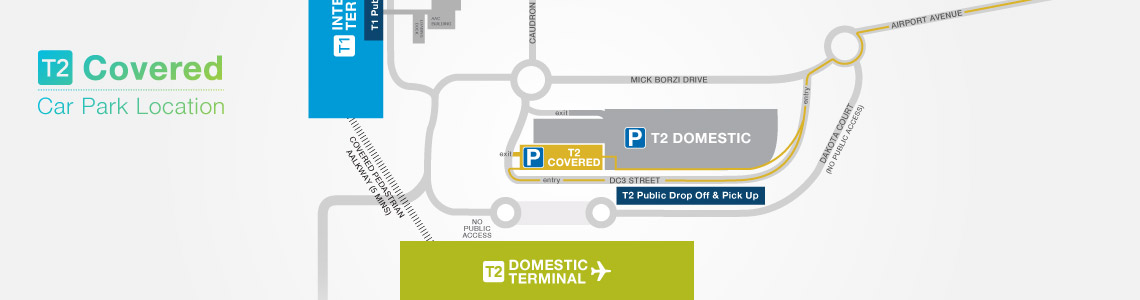
Directions
As you enter Cairns Airport, proceed straight through the first roundabout and then veer left towards the T2 Domestic Terminal and follow the yellow 'T2 Covered' Car Park signs. The entry to the T2 Covered Car Park is located on DC3 Street, across the road from the T2 Domestic Terminal.
Height Access
Maximum height allowed is 2.7 metres.
Restrictions
The car park is only available for cars, motorcycles, light utilities and light vans. This excludes vehicles towing trailers and boats.
Accessible Parking
Parking for mobility impaired drivers is provided within all public car parks at Cairns Airport. Spaces are signed and located as close to the terminal as possible. Vehicles must display a registered disabled parking sticker to use these bays.
Payment
- Charges are based on a 24 hour period or part therof.
- Payment can be made by credit card and debit credit cards at the exit gates only.
Hours of Operation
24 hours a day, 7 days a week.
How to Enter the Car Park
- After you have processed your online booking, an email confirmation will be sent to you.
- At the entry, simply tap the credit card you booked with onto the dedicated credit card reader and proceed through the boom gate. Watch how easy it is here.
- Should the boom not open, press the help button at entry if you require assistance, do not take a ticket.
How to Exit the Car Park
- At the exit, insert the credit card used when booking (the same card you used when you entered the car park).
- If you have overstayed your booking, you will be prompted to pay the additional amount required (credit card payments only at gate).
- Press the help button at the exit if you require assistance.
Where do I park?
When you pre-book online, you reserve a space in the selected car park. Choose any available space within this car park.
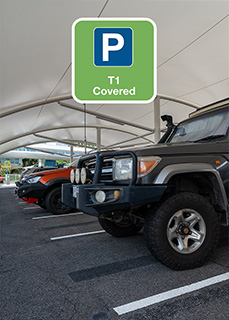
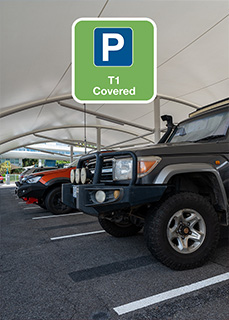
International Covered Car Park
- Covered parking opposite the International Terminal
- Cyclone rated shelter
- Accessible car spaces available
- 1 minute walk to the International Terminal
- Short 5-7 minute walk to the Domestic Terminal
1 min by walk
Directions
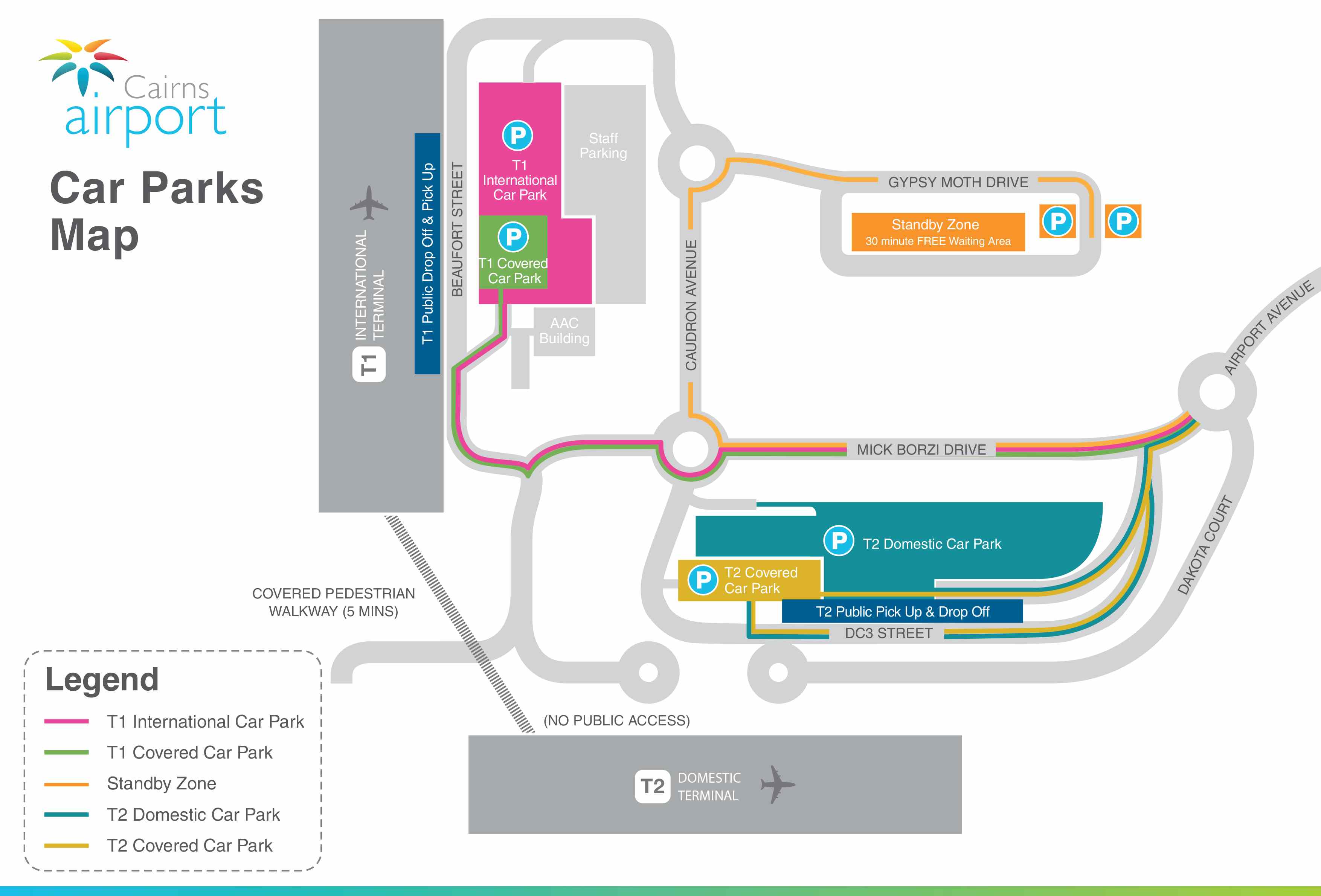
*The T1 Covered Car Park is located within the T1 Uncovered Car Park.*
As you enter Cairns Airport, follow the pink 'T1 Car Park' signs. At the first roundabout take the third exit and continue straight to the next roundabout. At the second roundabout take the second exit and continue towards the International Terminal. The entry to the T1 Car Park is located just around the bend on the right hand side across the road from the T1 International Terminal Departures.
Height Access
Maximum height allowed is 2.4 metres.
Restrictions
The car park is only available for cars, motorcycles, light utilities and light vans. This excludes campervans, caravans, motor homes and vehicles towing trailers and boats.
Accessible Parking
Parking for mobility impaired customers is provided within all public car parks at Cairns Airport. Spaces are signed and located as close to the terminal as possible. Vehicles must display a registered disabled parking sticker to use these bays.
Payment
- Charges are based on a 24 hour period or part therof.
- Payment can be made by credit card and debit credit cards at the exit gates only.
Hours of Operation
24 hours a day, 7 days a week.
How to Enter the Car Park
- After you have processed your online booking, an email confirmation will be sent to you.
- At the T1 Car Park Entry, tap the credit card you made this booking with onto the dedicated credit card reader and proceed through the boom gate. (Should the boom gate not open, press the help button at entry if you require assistance, do not take a ticket.)
- Proceed through the T1 Car Park to the T1 Covered Car Park Entry.
- At the T1 Covered Car Park Entry tap the credit card you made this booking with onto the dedicated credit card reader and proceed through the boom gate. (Should the boom not open, press the help button at entry if you require assistance.)
How to Exit the Car Park
- At the T1 Covered Car Park Exit, tap the credit card you made this booking with onto the dedicated credit card reader and proceed through the boom gate.
- Proceed through the T1 Car Park to the T1 Car Park Exit.
- At the T1 Car Park Exit tap the credit card you made this booking with onto the dedicated credit card reader.
- If you have overstayed your booking, you will be prompted to pay the additional amount required (credit card payments only at gate).
- Press the help button at the exit if you require assistance.
Where do I park?
When you pre-book online, you reserve a space in the selected car park. Choose any available space within this car park.
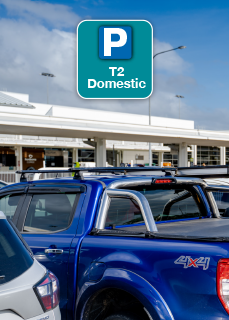
Domestic Car Park
- Closest parking to Domestic Terminal
- Most popular car park
- Uncovered car park
- Accessible car spaces available
- No amendment fees
- No cancellation fees
2 min by walk
Directions
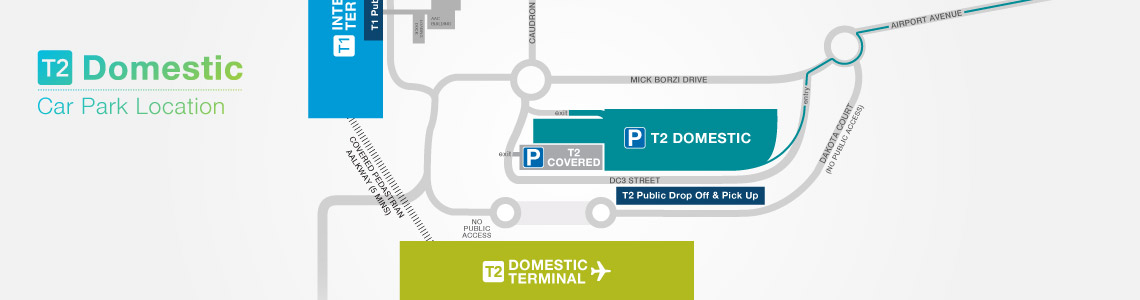
As you enter Cairns Airport, proceed straight through the first roundabout and then veer left towards the T2 Domestic Terminal and follow the green 'T2 Domestic' Car Park signs. The entry to the T2 Domestic Car Park is located off DC3 Street, across the road from the T2 Domestic Terminal.
Height Access
Maximum height allowed is 3 metres.
Restrictions
The car park is only available for cars, motorcycles, light utilities and light vans. This excludes vehicles towing trailers and boats.
Accessible Parking
Parking for mobility impaired drivers is provided within all public car parks at Cairns Airport. Spaces are signed and located as close to the terminal as possible. Vehicles must display a registered disabled parking sticker to use these bays.
Payment
- Charges are based on a 24 hour period or part therof.
- Payment can be made by credit card and debit credit cards at the exit gates only.
Hours of Operation
24 hours a day, 7 days a week.
How to Enter the Car Park
- After you have processed your online booking, an email confirmation will be sent to you.
- At the entry, simply tap the credit card you booked with onto the dedicated credit card reader and proceed through the boom gate. Watch how easy it is here.
- Should the boom not open, press the help button at entry if you require assistance, do not take a ticket.
How to Exit the Car Park
- At the exit, insert the credit card used when booking (the same card you used when you entered the car park).
- If you have overstayed your booking, you will be prompted to pay the additional amount required (credit card payments only at gate).
- Press the help button at the exit if you require assistance.
Where do I park?
When you pre-book online, you reserve a space in the selected car park. Choose any available space within this car park.
International Car Park
- Great value open air parking
- Accessible car spaces available
- No amendment fees
- No cancellation fees
- Just a 5-7 min walk to the Domestic Terminal
5-7 min by walk
Directions
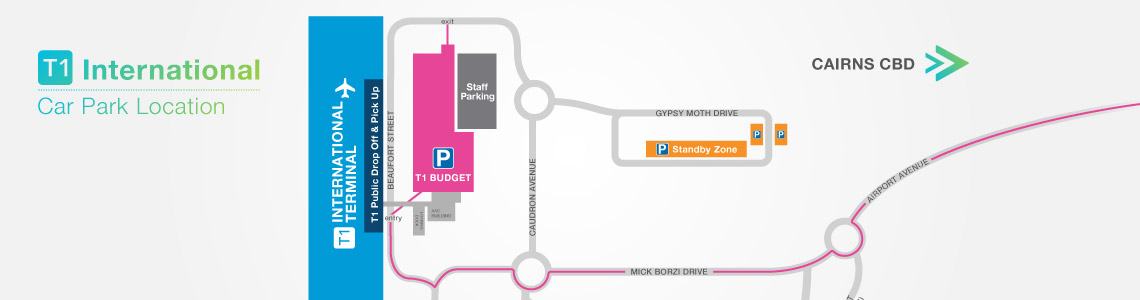
As you enter Cairns Airport follow the pink 'T1 Car Park' signs towards the International Terminal. The entry to the T1 Car Park is on Beaufort Street across the road from the T1 International Terminal.
Height Access
Maximum height allowed is 3 metres for open air parking.
Restrictions
The car park is only available for cars, motorcycles, light utilities and light vans. This excludes vehicles towing trailers and boats.
Accessible Parking
Parking for mobility impaired drivers is provided within all public car parks at Cairns Airport. Spaces are signed and located as close to the terminal as possible.
Payment
- Charges are based on a 24 hour period or part therof.
- Payment can be made by credit card and debit credit cards at the exit gates only.
Hours of Operation
24 hours a day, 7 days a week.
How to Enter the Car Park
- After you have processed your online booking, an email confirmation will be sent to you.
- At the entry, simply tap the credit card you booked with onto the dedicated credit card reader and proceed through the boom gate. Watch how easy it is here.
- Should the boom not open, press the help button at entry if you require assistance, do not take a ticket.
How to Exit the Car Park
- At the exit, insert the credit card used when booking (the same card you used when you entered the car park).
- If you have overstayed your booking, you will be prompted to pay the additional amount required (credit card payments only at gate).
- Press the help button at the exit if you require assistance.
Where do I park?
When you pre-book online, you reserve a space in the selected car park. Choose any available space within this car park.